
Jaden Industries Demo: What It Includes and How to Play
The Jaden Industries demo is a separate Steam app for Windows. How to find it, what to test in the first hour, and what it skips.
There is a playable Jaden Industries demo on Steam, and it is the cheapest way to find out whether the puzzle rhythm clicks. The demo is a separate Steam app (5088890) for Windows, not a mode inside the full game. You install it from the main store page's demo button, and it runs independently of the retail build.
The demo matters more than usual here because the game sits at a low price with a Mixed early reception. A $6.39 purchase is easy to justify, but a free hour tells you whether the budget system and conveyor routing are fun or fiddly. This guide covers how to access it, what to test, and where its limits are.
If the demo convinces you, the release date page→ lists every platform, and the beginner tips→ explain what to practice before the full game.
Store facts were checked against the Steam and Nintendo listings on November 25, 2026. Systems that are not publicly confirmed are labelled as unconfirmed. Official source: Jaden Industries on Steam ↗
How to download the Jaden Industries demo
- Open the Jaden Industries Steam page ↗.
- Look for the Download Demo button on the right-hand column, below the buy box.
- Install the demo. It appears in your library as a separate entry from the full game.
- Launch it and start a new save. The demo does not require the full game.
The demo is Windows-only, matching the retail PC release. There is no macOS or Linux build, and no demo listing on PlayStation, Xbox, Switch or Switch 2 at the time of writing. If you are a console-only player, the demo cannot answer your platform questions.
What the demo lets you test
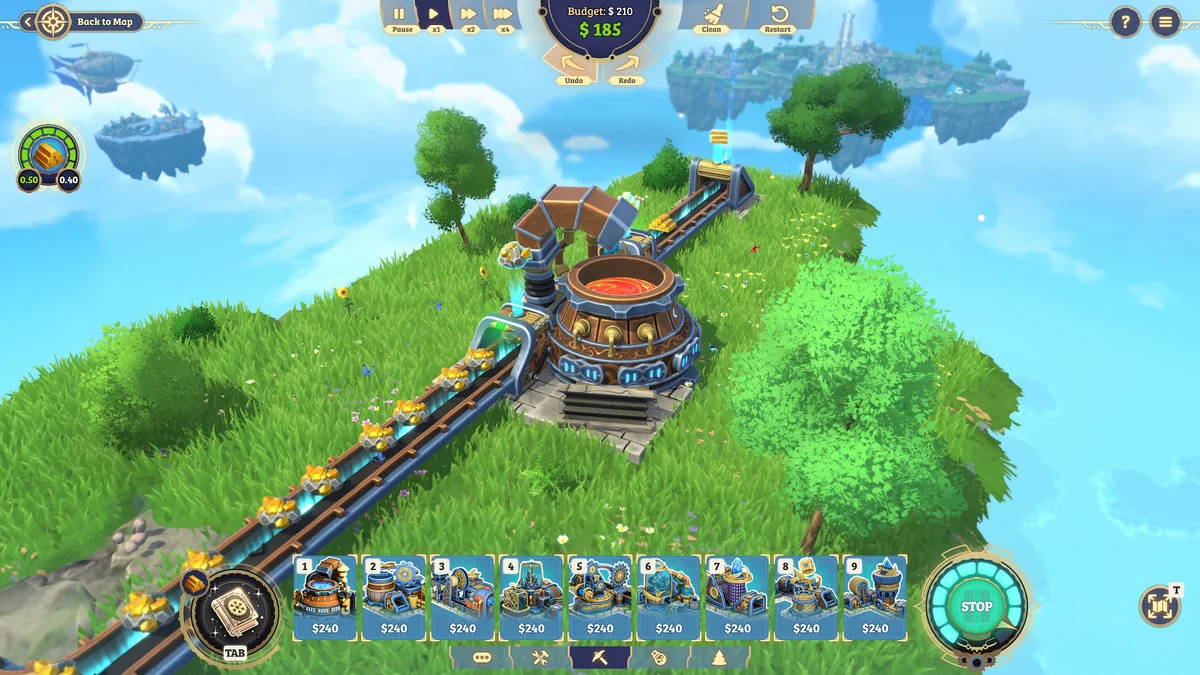
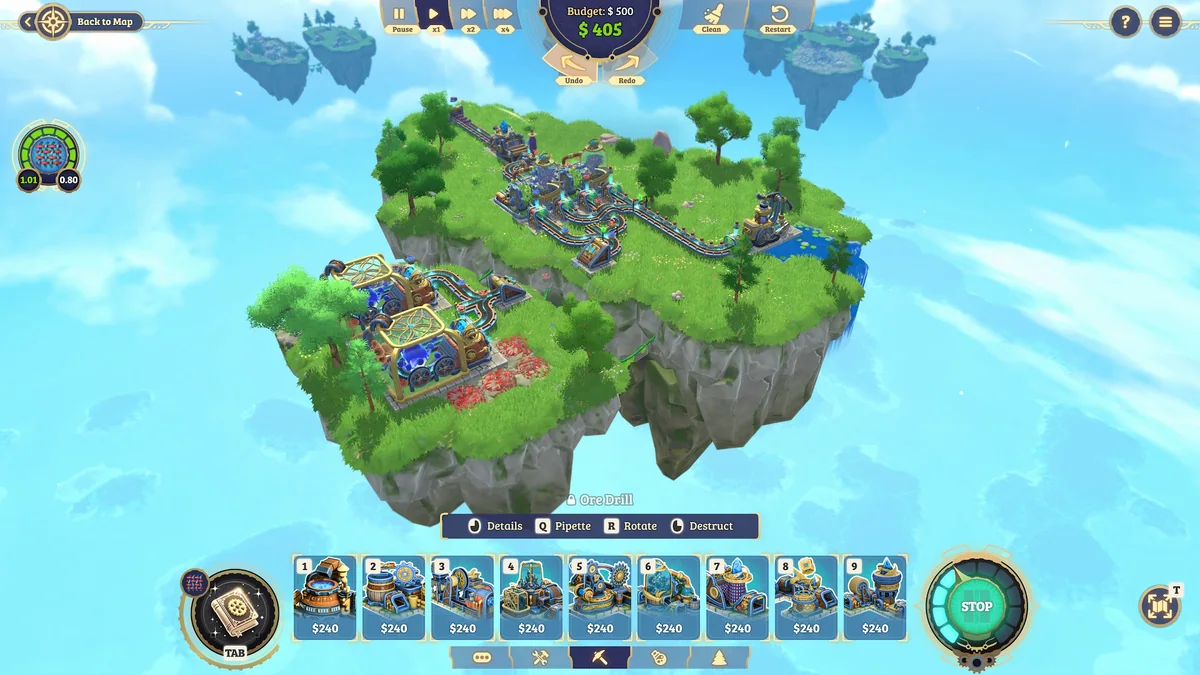
The demo is built to show the opening systems: placing extractors, running conveyors, combining ingredients, and hitting an island budget. That is exactly the loop the full game repeats with more machines and tighter layouts, so it is a fair sample even if the content is limited.
Things worth paying attention to in your first session:
- Conveyor placement. Does the grid snap the way you expect, and can you rotate a line without fighting the camera?
- Budget pressure. Watch the budget counter as you build. If you overspend, the demo shows the scoring consequence without ending the run.
- Recipe readability. Hover over a machine and check whether the inputs and outputs are clear. If you cannot tell what a mixer wants, the full game will be harder.
- Camera and UI scale. Try windowed mode and your native resolution. The interface is dense in places, and small text is the most common complaint in factory puzzlers.
- Session length. The demo is short. If you finish it wanting one more island, the full game is likely a good fit.
What the demo does not include
The demo is a slice, not a save-compatible prologue. Do not assume that progress, unlocks or achievements carry into the retail game. Pushka has not documented save transfer for the demo, and the separate app ID means the two builds are treated as different products.
It also does not include the full research tree, the later biomes, the map editor, or Steam Workshop access. Those are retail features. The demo is there to prove the core loop, not to preview the endgame.
Achievements are another gap. The retail game has 18, and the demo's achievement behavior is not documented. If you care about a clean completion profile, treat demo achievements as separate until you see them appear.
Demo vs full game: is the upgrade worth it?
The full game adds more islands, new machines, research, medals, and the Workshop editor. It also adds the difficulty curve that the demo only hints at. If the demo feels too simple, the retail game does get more layered, but it does not turn into Factorio. The scale stays compact.
During the launch window, the full game is $6.39 on Steam. That is low enough that many players will buy without finishing the demo. If you are on the fence, play the demo first and check the price page→ for the current discount window. The offer ends December 7, 2026.
Console players have no demo. The closest alternative is to watch a launch trailer or a short let's-play and judge the interface. Our Switch 2 page→ covers the documented console details, and the beginner tips→ explain the first-hour systems in text.
Common demo problems
- No demo button: the demo can be hidden if you are viewing a region where it is not offered. Sign in and check the store page again.
- Demo will not launch: verify the install and make sure you are running the demo entry, not the unreleased full game.
- Controller not detected: the full game supports controllers, but the demo's controller support is not separately documented. Try Steam Input or a wired connection.
- Progress lost: the demo may not save between sessions in the same way as the retail build. Do not rely on it for a long run.
FAQ
Is there a Jaden Industries demo on Switch?
No. The demo is a Steam-only Windows build at the time of writing. Nintendo's eShop lists the full game but no demo.
Is the demo free?
Yes. It is a free separate app on Steam and does not require owning the full game.
Does demo progress carry over?
Pushka has not documented save transfer. Treat the demo as a standalone slice and expect to start fresh in the retail game.
How long is the demo?
It covers the opening systems rather than the full campaign. Most players will see everything it offers in well under an hour.